Water intake
Awra tracks your daily hydration in glasses. Each glass is 250 ml. You log water throughout the day by adding one or more glasses at a time, and the running total is displayed on the Home screen and in Stats.
Opening the water log
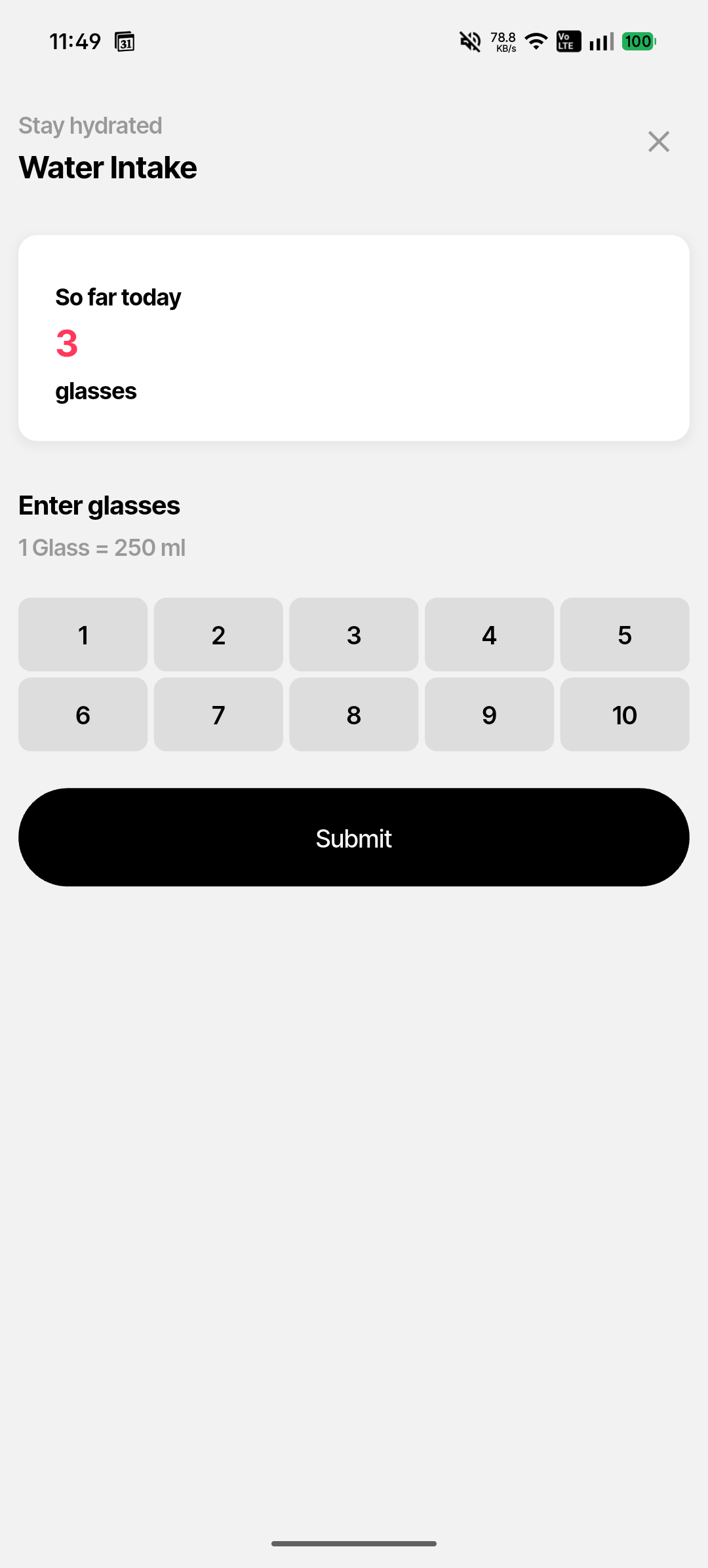
Tap the + (centre Add button) in the bottom navigation bar, then select Water from the log options. The screen opens with the context label "Stay hydrated" and the heading "Water Intake."
Logging water
At the top of the screen you'll see your current count for today (e.g. "So far today: 3 glasses") and the reminder that 1 Glass = 250 ml. Below that is a number grid from 1 to 10. Tap the number of glasses you want to add right now, then tap Submit.
Your daily goal
Your daily water target is set during onboarding based on your personal baseline. The Home screen summary tile shows "Glasses of Water" with your progress as consumed / goal (e.g. 3/10).
Where hydration data appears
Hydration contributes to your Awra Score hydration dimension. You can see weekly and monthly hydration trends (in litres) in Stats → Hydration Trends.
Unit reference
1 glass = 250 ml · 4 glasses = 1 litre · 8 glasses = 2 litres