Home screen
The Home screen is your daily health dashboard. It loads automatically each time you open Awra and shows a vertically scrolling feed of cards — from your overall Awra Score at the top to a full breakdown of nutrition, energy, habits, and AI-generated insights.
Awra Score
At the top of the Home screen you'll see your Awra Score — a 0–100 point measure of your overall health balance across the last 7 days. It draws from nutrition, sleep, hydration, and movement. The score is displayed as a circular donut chart in brand red with the number in the centre.
Below the score a 2×2 grid shows four key daily metrics at a glance: Active Minutes, Nutrition balance %, Glasses of Water (with your daily goal), and Hours Slept.
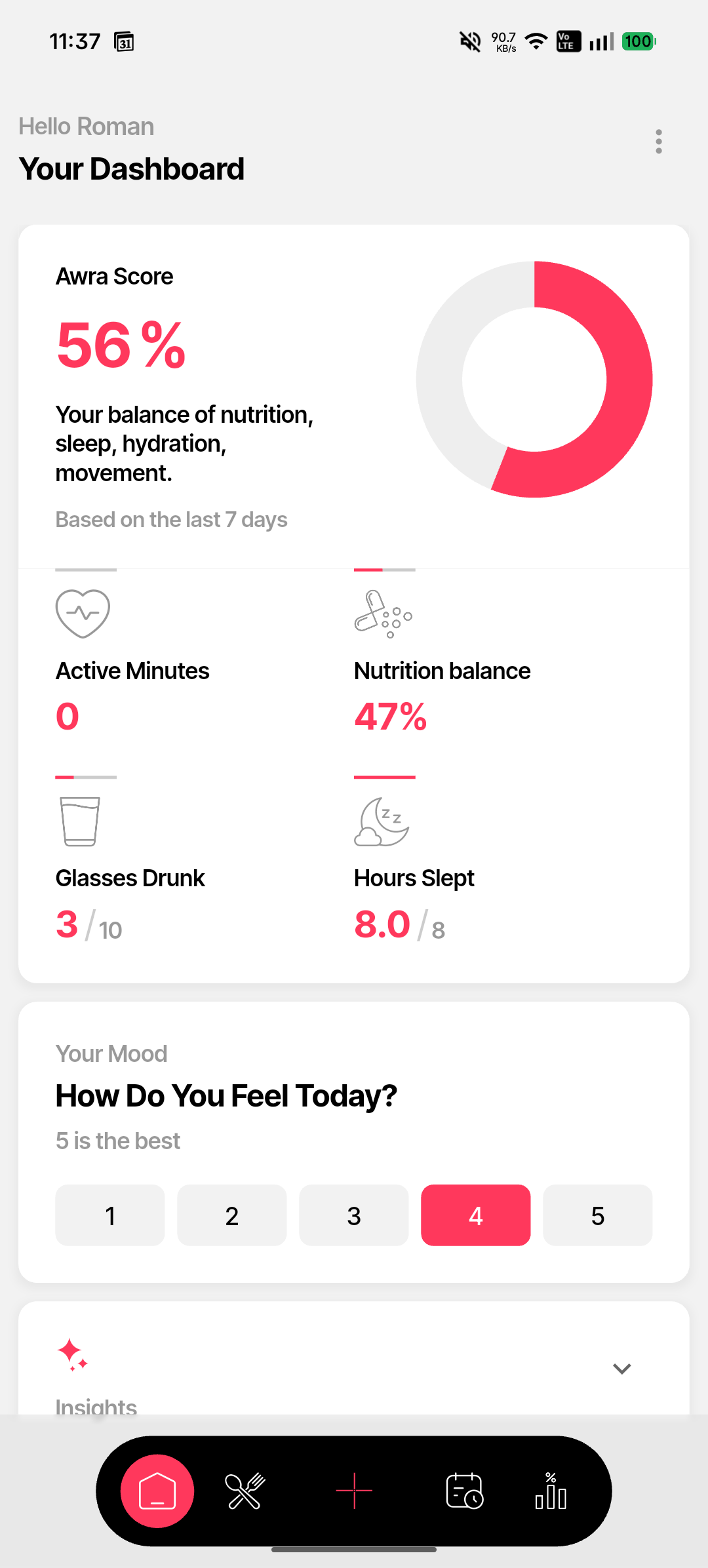
Awra Score and daily summary
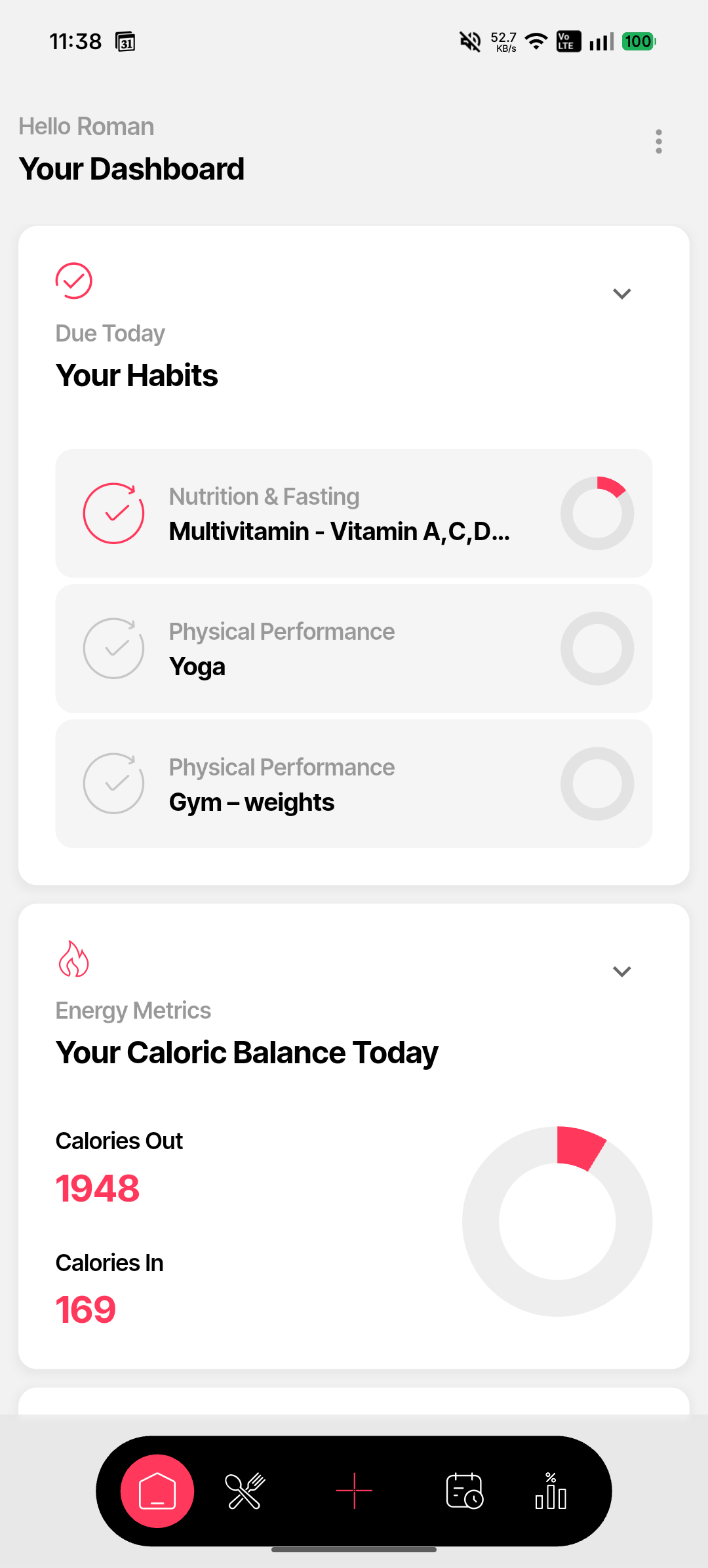
Today's habits and energy
Daily mood
Below the Awra Score card you'll see a How Do You Feel Today? prompt. Tap a number from 1 to 5 (5 is best) to log your mood for the day. Your rating is used by the AI when generating your daily health narrative.
Habits due today
The Your Habits card lists all habits scheduled for today. Each row shows the habit category, name, and a circular progress ring. Rings fill red as you complete them. Tap a habit to mark it done or view its details.
Energy metrics
The Your Caloric Balance Today card shows Calories Out vs. Calories In as two large numbers. Below that, a progress bar shows your Net Energy Balance — whether you're over, under, or at your calorie target. The formula is displayed as: BMR + TEF + NEAT − Activity.
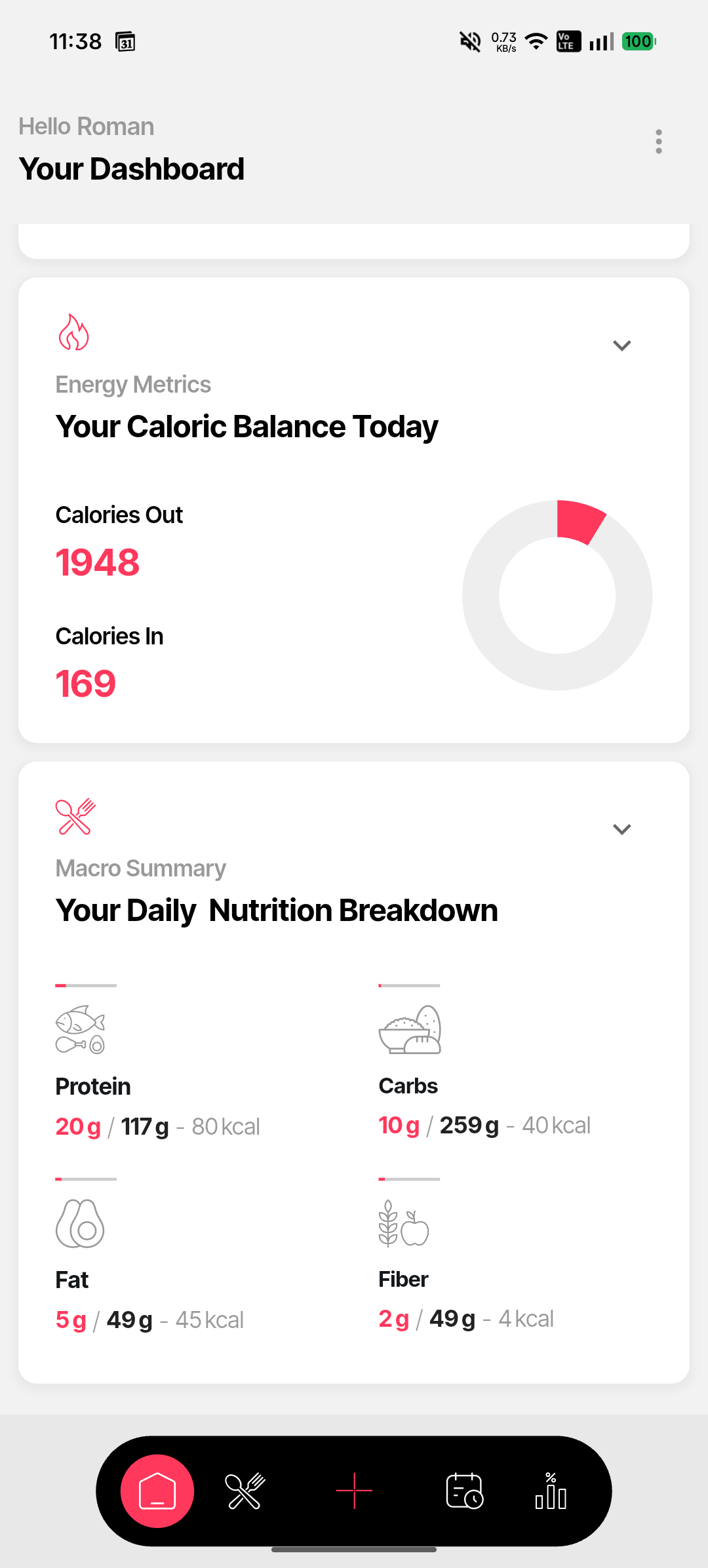
Energy and macros
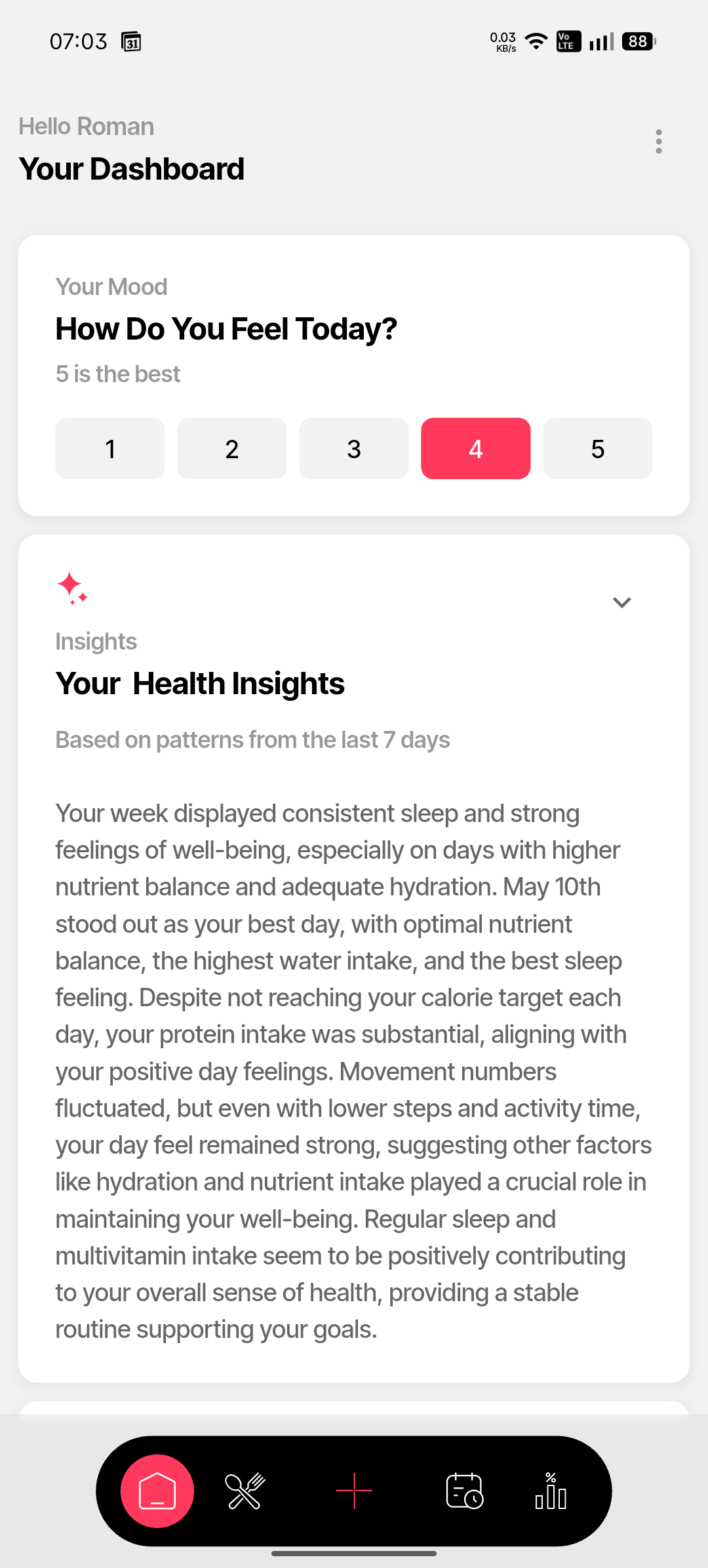
AI health insights
AI health insights
Awra generates a plain-language health narrative each morning based on the last 7 days of your data. It appears as a single block of text in the Insights section of the Home screen, surfacing observations that connect patterns across your nutrition, sleep, hydration, and activity.
Macro summary
Further down the Home screen, a 2×2 grid shows your daily macros: Protein, Carbs, Fat, and Fiber — with grams consumed vs. your target and the calorie contribution of each.
Smart notifications
Awra surfaces up to two contextual nudges on the Home screen based on your activity and nutrition data. These are personalised observations — not prescriptions — designed to prompt awareness rather than instruction.